
This is it, what we have been building up to this entire semester. Releasing version 1.0 of our link checking software. We have been given the task of figuring out how to deploy or package in our chosen language. Since my code is written in python I will by using Pypi to deploy my tool.
Setting up
According to the Pypi packaging instructions the file structure of the repository is very important.
packaging_tutorial
├── LICENSE
├── README.md
├── example_pkg
│   └── __init__.py
├── setup.py
└── tests
This is something I already learned about last week when setting up the testing suite. Thankfully, because of my struggles last week, it has set me up pretty good for this weeks work. Next step is to create a setup file for Pypi to use.
import setuptools

with open("README.md", "r") as fh:
    long_description = fh.read()

setuptools.setup(
    name="Check That Link",
    version="1.0.0",
    author="Tim Roberts",
    author_email="tims@email.com",
    description="Command-line tool for checking the status of links stored in a file.",
    long_description=long_description,
    long_description_content_type="text/markdown",
    url="https://github.com/TDDR/checkThatLink",
    install_requires=[
        "argparse == 1.4.0",
        "urllib3 == 1.25.11",
        "black == 20.8b1",
        "flake8 == 3.8.4",
        "pytest == 6.1.2",
        "pytest-cov == 2.10.1",
    ],
    packages=setuptools.find_packages(),
    classifiers=[
        "Programming Language :: Python :: 3",
        "License :: OSI Approved :: MIT License",
        "Operating System :: OS Independent",
    ],
    entry_points={
        "console_scripts": [
            "ctl = src.checkThatLink:main",
        ]
    },
    python_requires=">=3.6",
)
As you can see, the setup file provides information about the application and installs any dependencies the application may require. This not only allows Pypi to setup our application on any device, but it also makes local setup easier. We can now setup dependencies with pip install . instead of having to type out all the dependencies individually. Neat!
Next I’m told to run a couple of commands.
python3 -m pip install --user --upgrade setuptools wheel
python3 setup.py sdist bdist_wheel
Only problem is I get an error. Says I do not have permission to run Python. Weird. I tried to see if I could see the version of pip still, and that still worked. I look up the issue and it was one of the top answers to show up on good ol stack overflow.

Turns out I just had to turn those two switches off that had got added in a recent update. Now that everything is working again it’s time to run those commands. That added some folders to my directory as expected.

Becoming a Tagger
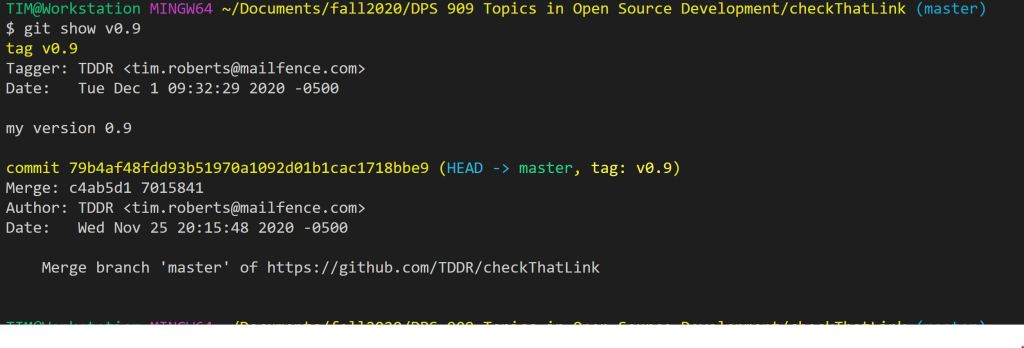
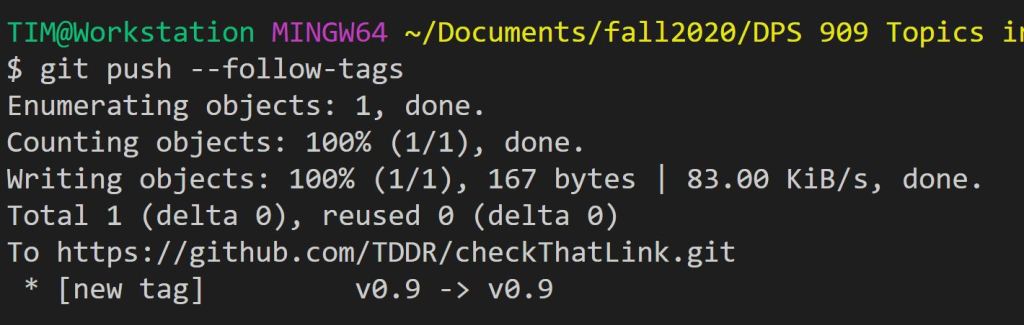
Next step is to add some tags to the repository to better keep track of the state of the code at any given release.
My First Release!
This is it, in anticipation I already added and pushed the v1.0.0 tag to the repository. After that I went back to the packaging guide and found that I needed to register an account with Pypi. In order to stop twine from prompting me ever time for my credentials I just added a .pypirc file to my root that contained my credentials. After that was all set up I went to run the command but ran into an error

I checkout out a few things, tried it a couple more ties and it still didn’t work. it seemed like it should be working. Then I noticed the mistake. I was trying to call the test.pypi server instead of the normal one. A simple fix and my dist/ folder was uploaded to Pypi!

Now to test things out. I had to learn about creating a virtual environment with python in order to test out my work. After creating one I tried to get my package from pip. It worked!

Ok, now to see if it actually worked.
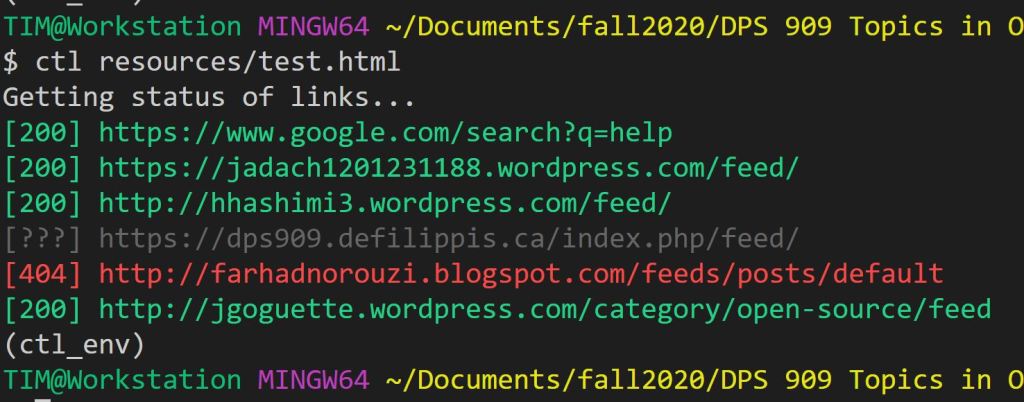
Bingo! My package works from a pip install! I updated my read me in order to better reflect the new changes and now it’s time to get someone else to test it out. Make sure it’s not just me who can make it work.
User Testing
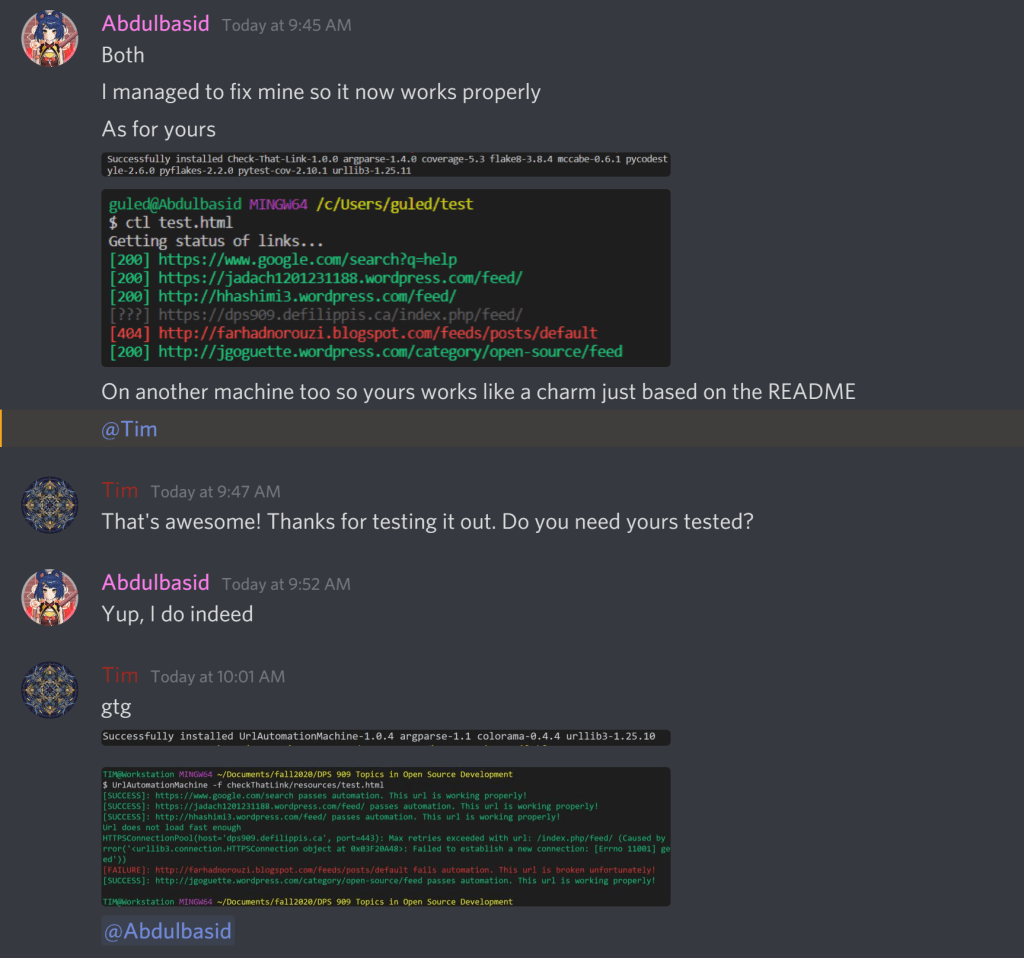
Now, the final test. I put out a couple requests in the slack channel and in a discord server I am in to ask for assistance with testing my work. Thankfully Abdul, a fellow classmate, needed someone to test his out as well. A little quid pro quo never hurt anyone.
Final Thoughts
That’s that. From zero to hero. Built a command line tool from the ground up and took it all the way to a release. It’s been quiet the process but as I have stated before this course should be part f the core curriculum. The skills we learned this semester are directly applicable to the real world, unlike a lot of other courses I have taken where it’s hard to see the value.
 Tim's Blog for DPS 909