My first project for this course was to build a command line application that checks a file to see if the links it contains are valid or not.
I was given more freedom in this project then any other project I have worked on so far in school. I was able to choose what language I wanted to use and build it from the ground up which was a refreshing change compared to some of my other courses.
As for the language I chose, I just learned Python over the summer so it immediately came to mind when I first read the specs. I also thought about doing it in C++ or or maybe node. After talking it over with some of my peers I decided to get more experience with Python.
What does it do?
As stated before Check That Link is a command line tool used to check the status of an embedded URL. The application requires the path to a file as it’s first positional argument. It also comes with your standard usage tips and help options.
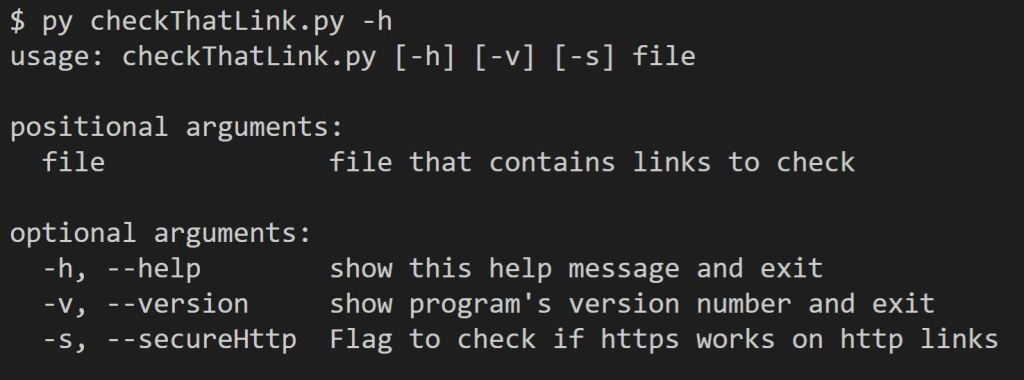
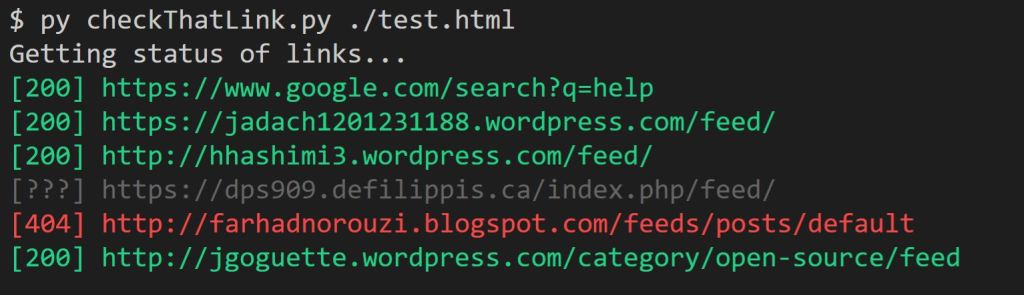
After feeding it a file to process Check That Link will do a HEAD request to check the status of the website. It will then display the results line by line in a nice color coded format.
- Green = good link
- Cyan = secured link
- Red = bad link
- Grey = unknown link
What else does it do?
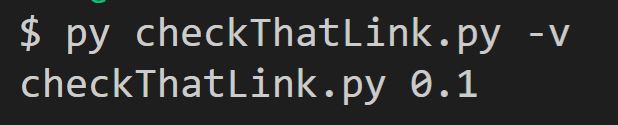
The color formatting was an optional requirement that was bundled with enabling the user to find out what version of the project it is by using the optional argument -v or –version.
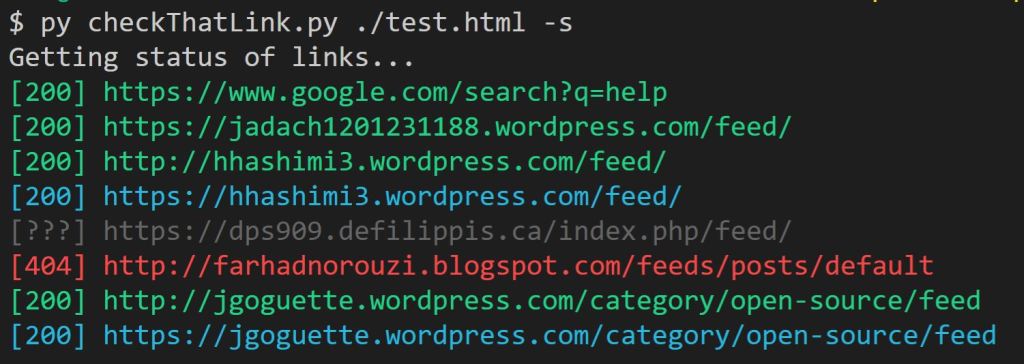
You can also use the optional flag argument -s or –secureHttp to indicate that you want to see if the supplied http URL’s will work using https instead. The successfully secured URL will be displayed right after the original version.
You can find all the source code for the project at my git hub repo.
 Tim's Blog for DPS 909